

Voice search is reshaping how people find information online. Instead of typing short keywords, users now ask complete questions through assistants like Siri, Alexa, and Google Assistant. This shift affects every industry, including education.
Courses, whether online or offline, must adapt to remain visible. Learners often use voice queries to find programs, ask about course duration, or locate nearby training centers. Ignoring this trend means missing out on students who rely on spoken searches for faster answers.
The rise of voice assistants highlights this shift. Millions of daily queries are spoken, not typed, and this number continues to grow. For course providers, optimizing for voice ensures relevance and accessibility in a changing search landscape.
What is Voice Search Optimization for Courses?
Voice search optimization (VSO) is the process of adjusting content so it appears in results when users ask questions verbally. Unlike traditional SEO, which focuses on typed keywords, VSO emphasizes natural, conversational language.
For course providers, this matters greatly. Online learning platforms, universities, and coaching centers compete for attention. Voice search favors content that directly answers student queries, such as “What’s the best coding course near me?” or “How long does a graphic design course take?”
The benefits are clear. Proper optimization increases visibility in search results, improves engagement through relevant answers, and attracts more students. By tailoring content for spoken queries, course providers build stronger connections with potential learners and increase enrollment opportunities.
Get Your Course Ranked Today!
Make sure your course stands out in search results. Get more visibility, attract students, and increase enrollments with expert SEO strategies.

Why Do Courses Need Voice Search Optimization?
More students now use voice search with terms like “best online coding course” or “English speaking course near me.” These types of queries are growing every year as learners rely on voice assistants for quick answers.
Search behavior is also changing. Instead of typing short keywords, students ask complete questions in a conversational way. A typed search might be “digital marketing course,” while a voice query could be “Which digital marketing course is best for beginners?”
Optimizing for this shift gives course providers a clear advantage. Courses that respond directly to spoken queries appear more often in search results, attract more students, and stand out from competitors who rely only on traditional keyword targeting.
How to Optimize Courses for Voice Search
Adapting courses for voice search requires focusing on natural language, structured answers, and technical improvements. The goal is to match the way students ask questions through voice assistants and make sure course pages are easy to find.
Target Conversational & Long-Tail Keywords
Students often ask questions in full sentences. For example, instead of searching “Python course,” they may ask, “What’s the best beginner course in Python?” Adding conversational and long-tail keywords to titles, descriptions, and FAQs makes content align with these spoken queries.
Create Voice-Friendly Content
Voice results usually deliver short answers. Course pages should include clear summaries, direct answers to common questions, and structured Q&A sections. Simplifying course descriptions also makes them more likely to appear in spoken search results.
Read more about SEO for course landing pages in our latest blog to learn how to optimize your content, use the right keywords, and attract more students.
Implement Technical & Structural Optimization
Schema markup helps search engines understand course details like provider, duration, and pricing. Mobile optimization and fast load times are critical since most voice searches come from mobile devices. Optimizing for featured snippets increases the chance of being chosen as the spoken response.
Check out our full blog on Technical SEO for Course Platforms at RankMyCourse. Learn how to make your course site faster, secure, and easy to use, so students can find and enjoy your courses. Read it now for simple, practical tips.
Leverage Local SEO for Courses
Many students search with location-specific terms such as “English course near me” or “coding bootcamp in New York.” Adding location-based keywords, keeping business details consistent (name, address, phone), and updating Google Business Profile all strengthen local visibility.
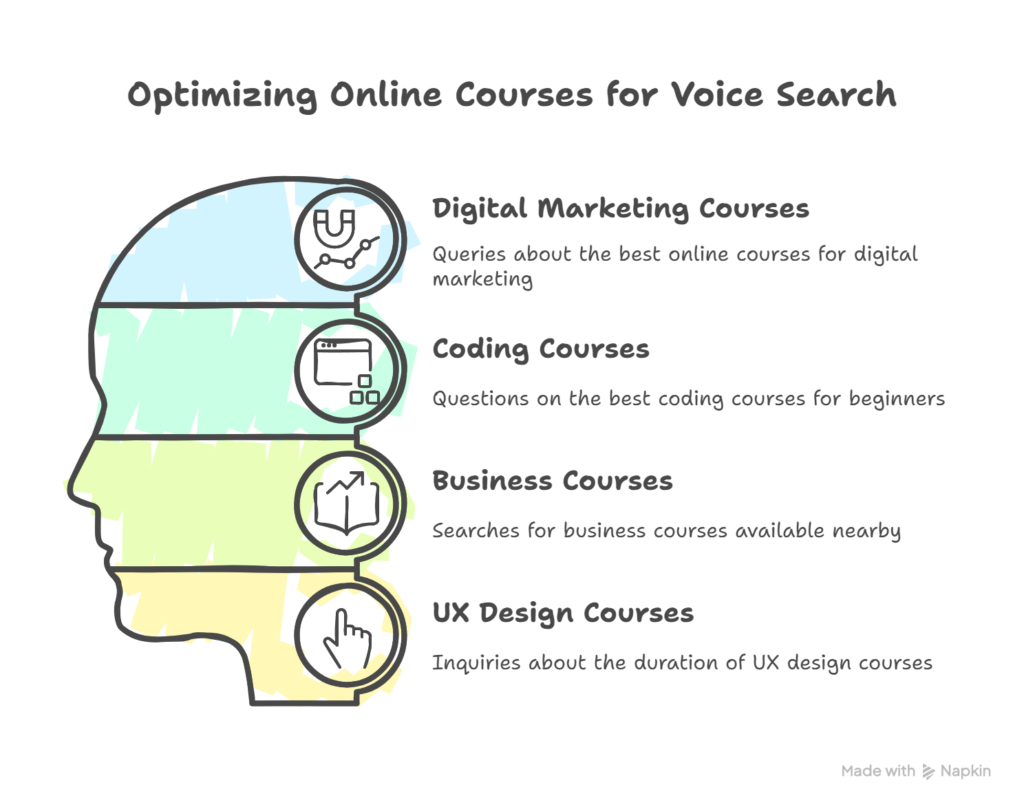
Examples of Voice Search Queries for Courses
Students often phrase voice searches as full questions. Here are some examples of common queries:
“What are the best online courses for digital marketing?”
“Which coding course is best for beginners?”
“Where can I find business courses near me?”
“How long does a UX design course take?”
These types of searches show how learners use natural language instead of short keywords. Optimizing content to answer questions like these helps courses appear in voice results and reach the right audience.
Find the best keywords for your online courses! Check out our blog for easy tips on keyword research for course creators.
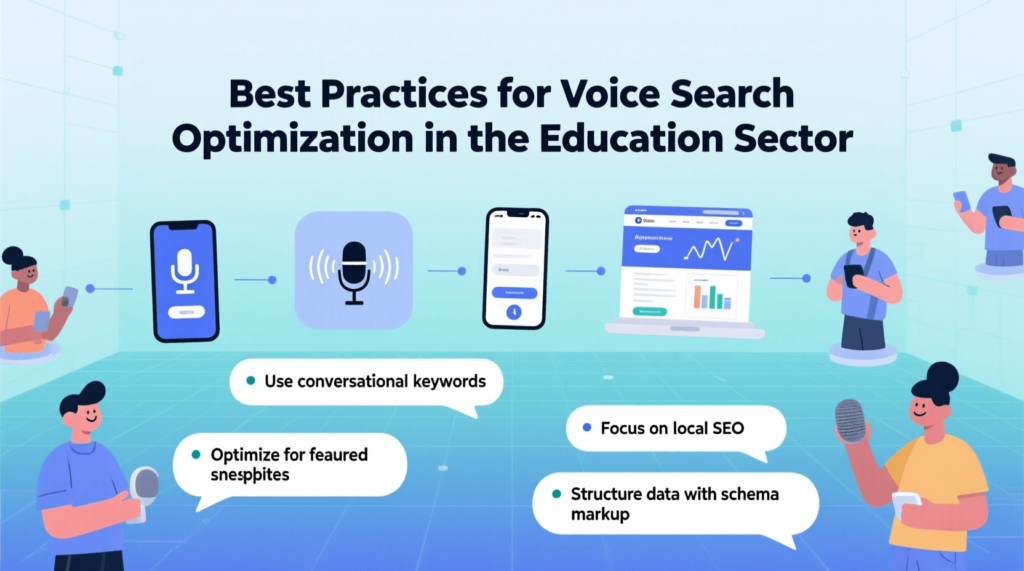
Best Practices for Voice Search Optimization in the Education Sector
Applying best practices ensures course providers gain maximum results from voice search. Simple adjustments to content and structure make courses more visible and easier to find.
Use FAQ Pages to Capture Common Questions
FAQ pages directly answer the kinds of questions students ask through voice search. Adding questions like “How long does this course take?” or “What skills will I learn?” increases the chance of appearing as spoken results.
Structure Content with Clear Headings & Bullet Points
Organized pages are easier for search engines to understand. Using headings for main topics and bullet points for lists improves readability and increases the chances of being chosen for featured snippets.
Keep Language Simple and Conversational
Voice queries use natural language. Course descriptions and answers should be written in the same style. Short, direct sentences improve clarity and match the way students ask questions.
Continuously Monitor & Update Content Based on Search Trends
Voice search patterns change over time. Regularly reviewing queries and updating content ensures courses remain aligned with how students are searching. Adding new questions or refining answers keeps pages relevant.
FAQs on Voice Search Optimization for Courses
Q1. How is voice search different from traditional SEO for courses?
Traditional SEO often focuses on short keywords. Voice search uses longer, conversational questions. Content must be written in a natural tone to match how students speak.
Q2. Do I need technical skills to optimize my course website for voice search?
Basic steps like adding FAQs, using clear language, and updating course descriptions do not require technical skills. For schema markup or advanced setup, some technical support may help.
Q3. What tools can help with voice search keyword research?
Tools like Google Keyword Planner, AnswerThePublic, and SEMrush provide insights into questions students ask. These tools help identify long-tail and conversational queries.
Q4. Does voice search optimization help both online and offline courses?
Yes. Online courses benefit from broader reach, while offline courses gain more visibility in local searches such as “near me” queries.
Q5. How long does it take to see results from voice search optimization?
Results vary, but improvements can often be seen within a few weeks to a few months, depending on competition and how quickly updates are applied.
Conclusion
Voice search is changing how students find courses. Course providers who adapt now gain better visibility, higher engagement, and stronger enrollment.
Key strategies include using conversational keywords, building FAQ pages, adding schema markup, improving mobile speed, and strengthening local SEO.
Adapting early ensures courses remain discoverable and competitive as voice search continues to grow.